
Local Government ADA Title II Readiness Guide
Author: Jonathan Wiersma
Jonathan Wiersma leads Citibot's product work and contributes to its public discussions of digital accessibility, content health, and resident service. In the two webinars informing this paper, he explains how government agencies can move from overwhelming issue reports toward practical, service-centered improvement. His approach connects website governance with accountable ownership and the information residents need to act.
The following practical examples will help you identify priority content, clarify ownership, and plan toward your compliance deadline.
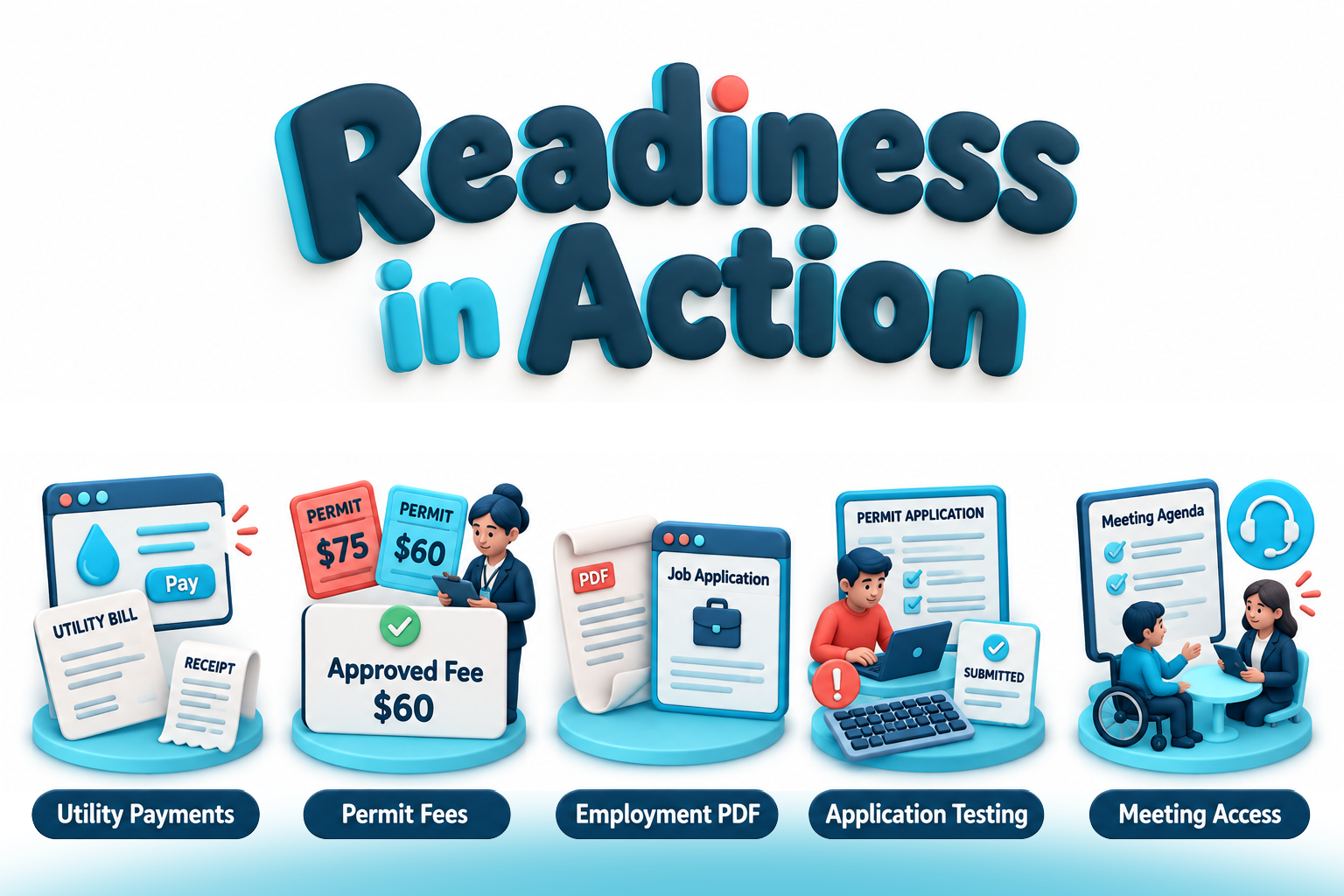
The most useful starting point for accessibility work is a task a resident needs to complete. Can someone pay a utility bill, apply for a job, request a permit, or find information about an upcoming public meeting?
Choose a service, follow the complete path, and identify what prevents someone from finishing. Then assign corrections and verify the result. The examples below show how to turn that approach into action.
Find priority content by following a resident's task
Example: A resident needs to pay a utility bill
The utility department's payment page links to a PDF explaining payment options and a vendor-operated payment portal. The page lists one late-payment date, while the PDF lists another. During assessment, the team also identifies an accessibility concern in the payment form.
Treat these as parts of one service rather than three unrelated website issues.
Ask utility staff to confirm the current payment rules. Have the web editor correct the conflicting instructions. Assign an agency contact to coordinate assessment and correction of the vendor-managed form.
The priority content now has a clear boundary: the payment page, supporting instructions, payment portal, and confirmation. The review should establish whether residents can understand the deadline and complete the transaction.
Apply this to your agency
For each selected service, identify the starting page, instructions, required documents, application or transaction, and confirmation. Include any vendor-managed steps.
Start with a manageable group. Consider urgency, consequences, reported barriers, and usage-not traffic alone. A less frequently used service can still deserve early attention if failure has serious consequences.
Keep other services in the broader plan. Selecting initial priorities determines the order of work, not which obligations disappear.
Make ownership specific enough to resolve the problem
Example: A resident encounters conflicting permit fees
A permit landing page says the application fee is $75. Its downloadable instruction sheet says $60. The web editor can change both, but does not know which amount is approved.
Sending the issue to "the website team" leaves the central question unanswered. Separate the factual decision from the publishing task.
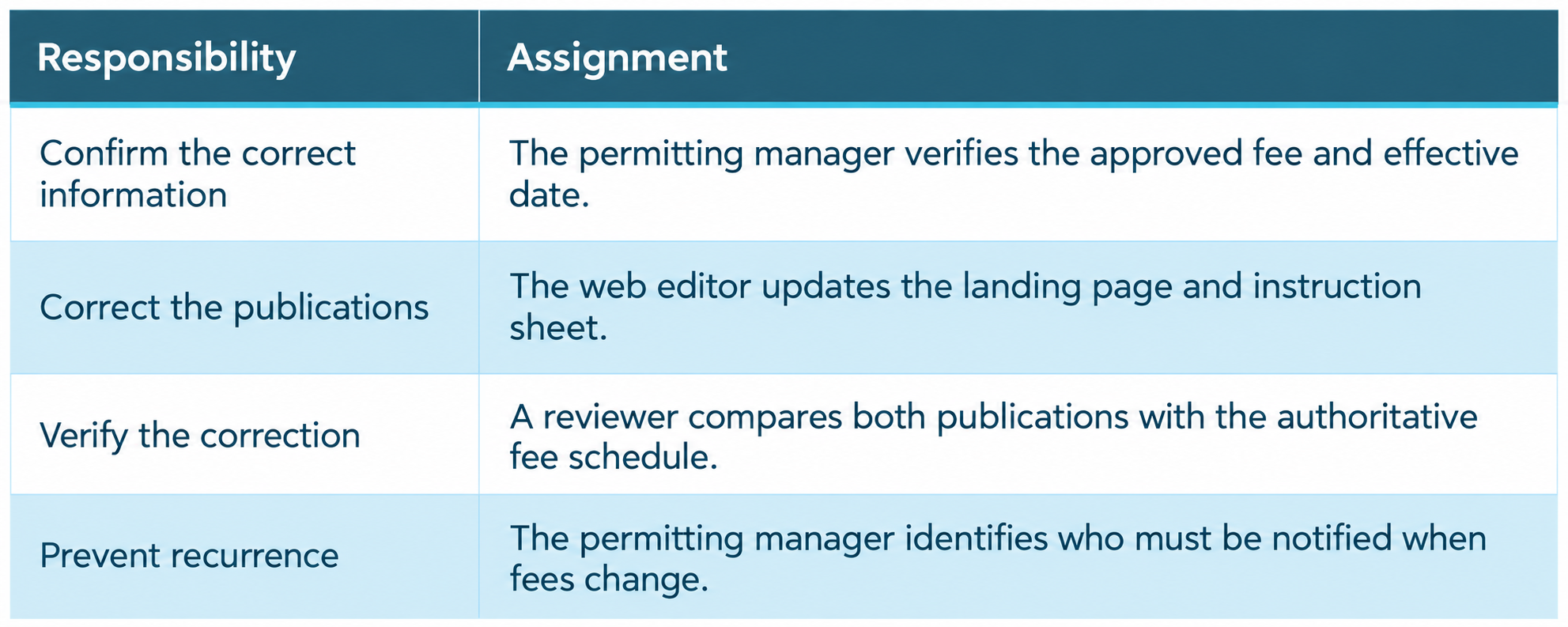
The permitting manager remains the accountable service lead, even though other people perform the edits and review.
Apply this to your agency
Every significant finding should identify the decision needed, the person making it, the repair owner, and the verification step. Avoid assignments such as "fix the PDF" or "make the application accessible."
Where a vendor controls the repair, name the agency employee responsible for follow-through. The resident should not have to coordinate departments or contractors.
Decide what to do with documents-not just how to scan them
Example: A job application depends on an old PDF
An employment page directs applicants to download a form created several years ago. The form is still required, but its reading order and fields need assessment.
The document's age does not, by itself, remove it from the current service. Human resources should first confirm whether the form is still necessary and whether all requested information remains appropriate.
The team then chooses a treatment. It might remediate the PDF or replace it with an appropriately designed online form. If instructions move to HTML, reviewers must confirm that requirements, dates, links, and meaning remain accurate.
Before retiring the original, the team checks records requirements and updates every active link pointing to it.
Apply this to your agency
For each priority document, establish whether it supports a current service, who owns its information, and what format best supports the task.
Do not assume that an old file is exempt or that moving it into an archive automatically qualifies it for an exception. Involve records professionals and counsel when those decisions are necessary.
Verify the service-not just the edited page
Example: A permit form looks repaired but still cannot be submitted
A vendor updates an application after a keyboard-navigation issue is reported. A screenshot shows the revised control, but that does not establish whether the interaction works.
The agency arranges appropriate retesting. Reviewers follow the application from the entry page through the affected control, required fields, submission, and confirmation. Automated checks support the review, alongside manual assessment.
If submission still fails, the assignment remains open. The team records the remaining barrier, the vendor follow-up owner, the next review date, and the assistance available to residents.
Apply this to your agency
Define completion before repairs begin. Record what will be tested, who will test it, and what evidence will demonstrate improvement.
A better scan score or a changed document is not enough on its own. Verification should address the applicable requirements and the resident's ability to complete the task.
Make the assistance route work in practice
Example: A resident cannot access a meeting document
A resident reports difficulty reading an agenda packet for an upcoming meeting. The website has an accessibility email address, but the message reaches a general inbox without an assigned owner.
The communications team names someone to monitor requests and coordinate with the clerk's office. Staff assess the resident's immediate need, arrange appropriate assistance, and assign review of the underlying document.
The request now produces two connected actions: help for the resident and correction of the source problem.
Apply this to your agency
Test your own contact route. Send a sample inquiry and confirm who receives it, how it is assigned, and who follows through.
Keep the accessibility policy and contact information accurate. A published address is useful only when it leads to a response. Assistance supports access while repairs continue, but does not replace accessible services.
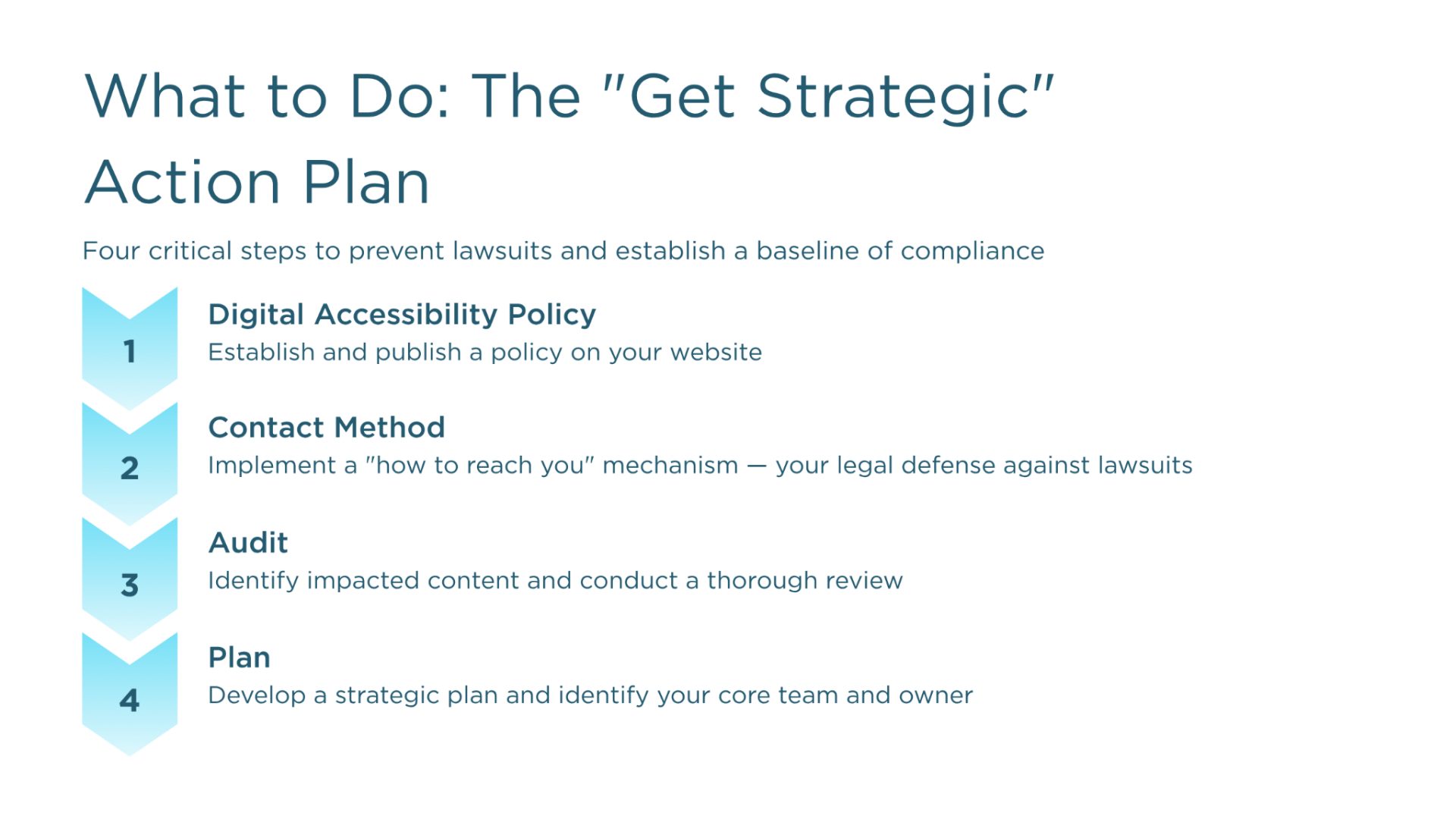
Turn the examples into a realistic ninety-day plan
Suppose your agency chooses utility payments, permit applications, and employment applications as its first phase.
First thirty days: Define and assign
Map the three service journeys and assess their supporting content. Confirm current fees, deadlines, and requirements. Name service leads and repair owners. Establish target dates, vendor dependencies, and verification methods.
The outcome is a defined body of work-not simply a list of pages to review.
Next thirty days: Correct and coordinate
Update conflicting instructions, remediate priority documents, and address technical barriers. Coordinate vendor repairs while completing work under agency control.
Train the staff whose publishing tasks could recreate the same problems. If a repair is blocked, record the reason and escalate the decision rather than letting the assignment stall.
Final thirty days: Retest and continue
Verify completed changes and document remaining barriers. Establish the next group of services and recurring content reviews.
A useful progress statement might read:
"Utility-payment instructions are corrected and verified. Employment documents have been updated and assessed. The permit application remains open because a vendor-controlled submission barrier still requires repair. IT owns follow-up, and permitting staff provide assistance."
This describes actual progress without implying that three improved services establish compliance across the entire website.
Where Citibot Refresh supports the work
Use Citibot Refresh to help identify outdated, inconsistent, and inaccessible website content and understand recommended fixes. Connect findings with the services your team has selected.
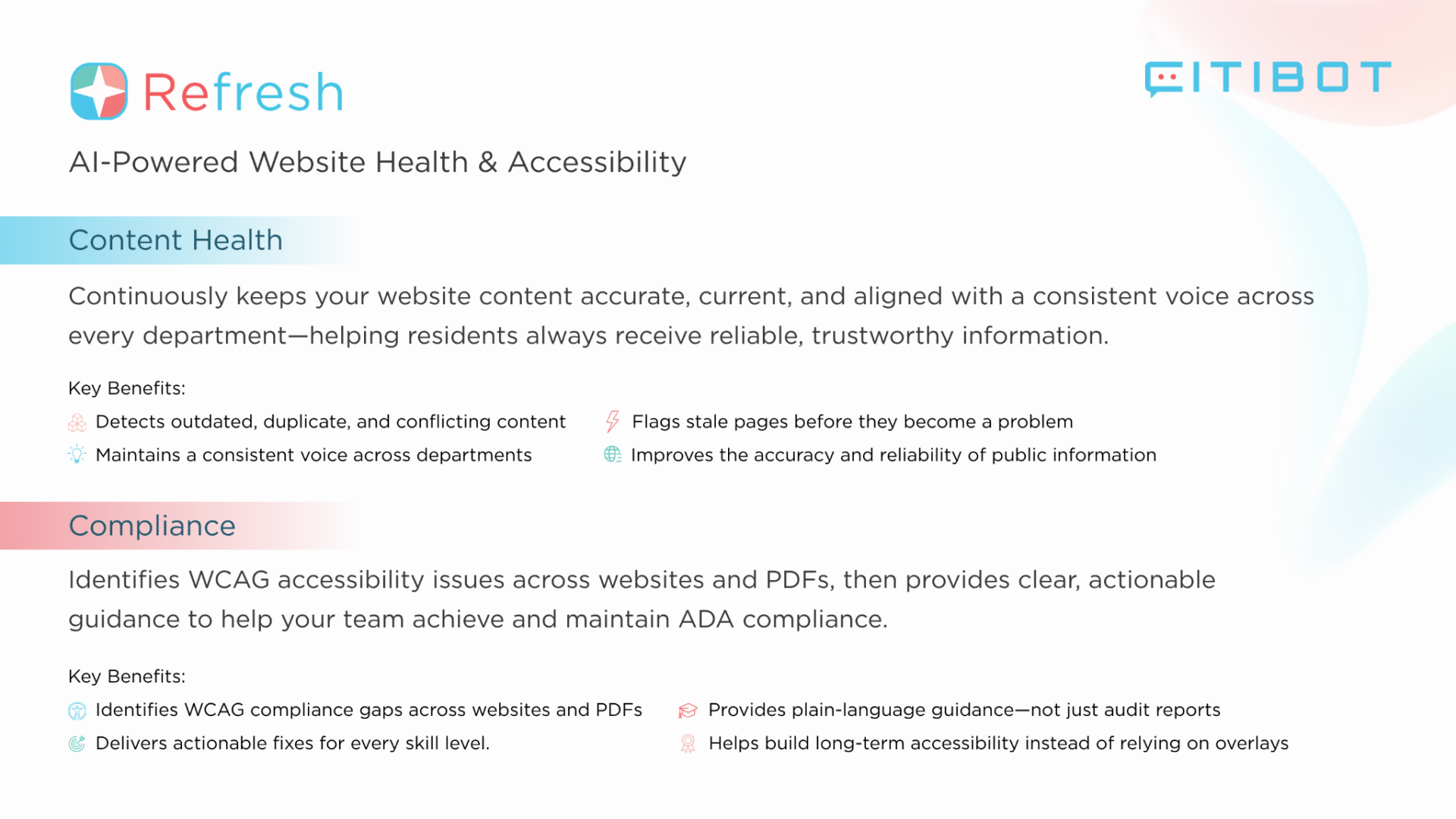
In the utility example, a flagged content inconsistency becomes an assignment to confirm and correct payment instructions. In the permit example, findings help staff focus review on the relevant pages and documents. Continued monitoring brings new concerns back into the process.
Staff remain responsible for confirming public facts, approving changes, coordinating vendors, and verifying access. Automated review does not detect every barrier or establish compliance on its own.
Keep your compliance deadline connected to the plan
The DOJ's web and mobile app rule requires covered content to meet WCAG 2.1 Level AA. The technical-compliance dates are April 26, 2027, for public entities with populations of 50,000 or more, and April 26, 2028, for smaller public entities and special district governments. Confirm which entity and population rules apply to your agency.
Existing ADA obligations continue before those dates. Treat ninety days as a focused first phase, with milestones for the remaining covered content leading toward your applicable deadline.
The practical starting point is straightforward: select a resident task, identify everything needed to complete it, assign specific corrections, and verify the result. Repeat that process until it becomes part of how your agency manages digital service.
This guide provides general information, not legal advice. Government agencies should consult qualified counsel about their specific obligations.